skip to main |
skip to sidebar
I just got back from a lovely vacation with my dad, where we hit various photo locations, saw family, etc. One of my favorite pictures from the trip was taken at Seal Beach in Orange County, California.

Aperture: f/16
Shutter Speed: 1/20
ISO: 100
Focal Length: 18mm
Tripod
It was an uncharacteristically cloudy and rainy day at the beach, which had several nice side-effects: diffuse light, awesome moody clouds (recovered from the RAW file via Lightroom), and very few people at the beach to clutter up my shot. The one guy standing about halfway down the pier kind of bothers me, but he fits in with the shot okay, and I didn't want to spend an hour cloning him out.
Anyway, I got this and a whole bunch of other shots I'm very happy with on the trip. More to come as I get around to editing them.
First off, no, there is no photo of the month for April. I kind of forgot about it, and I usually post that when I have nothing else to post or am short on time. That didn't happen during March I guess.
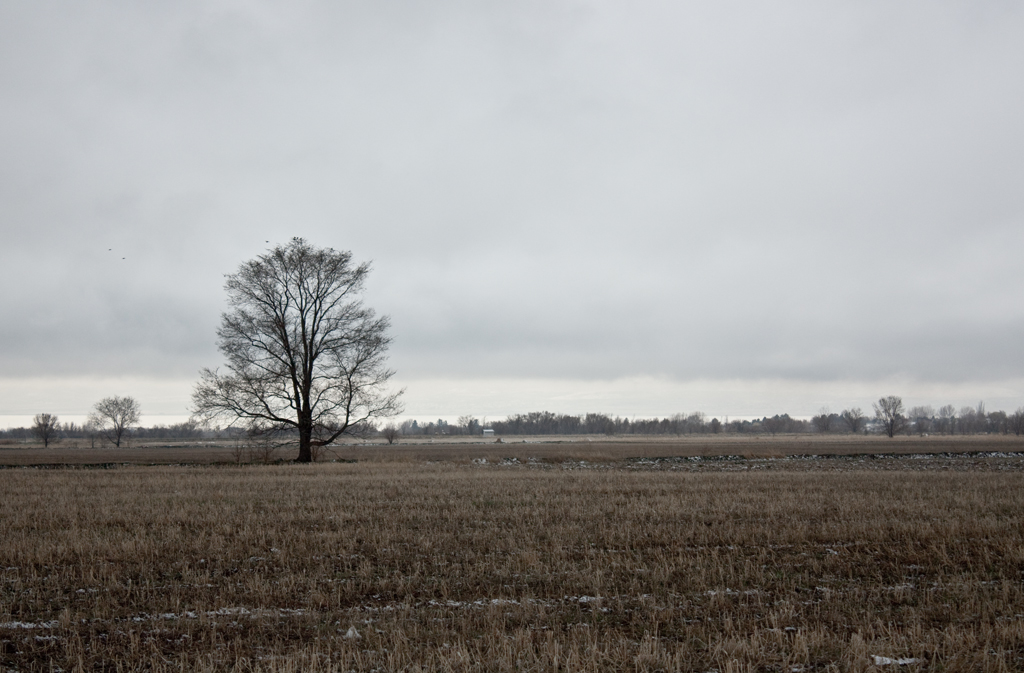
There's a tree that I've been able to see from the school parking lot, and I've noticed it almost every day for a long time; since before I got my DSLR. It stands alone in a field, with not much of a backdrop behind it. On cloudy or foggy days especially it looks really cool.
Today, I finally got around to walking out and shooting it.

click to enlarge, or see it on Flickr
Aperture: f/5.6
Shutter Speed: 1/400
ISO: 100
Focal Length: 55 mm
Handheld
I realized when choosing out of my various angles and exposures which photo I would edit that the one that appealed to me most was the one I think captured the point of this tree. Yeah, I had some photos that were much better focused, shot at a more landscape-y focal length, framed more fully, etc. But in the end, I went with the somewhat badly focused, wide framed, more telephoto shot because it showed how alone the tree was, which is really the defining characteristic of this tree. That's a good thing to bear in mind when composing shots in the future, I think.
In post, I actually lowered the contrast (something I rarely do for non-portrait photos), desaturated slightly, and cooled down the color cast in an attempt to make the setting look more desolate, which I think accentuated the mood this photo has.
One of my favorite ways to give a picture more impact is to give it a definite mood. Most photos have a fairly obvious subject, which usually gives them a general "feeling." The trick is to take this feeling, and then enhance it by editing different properties of the photos.
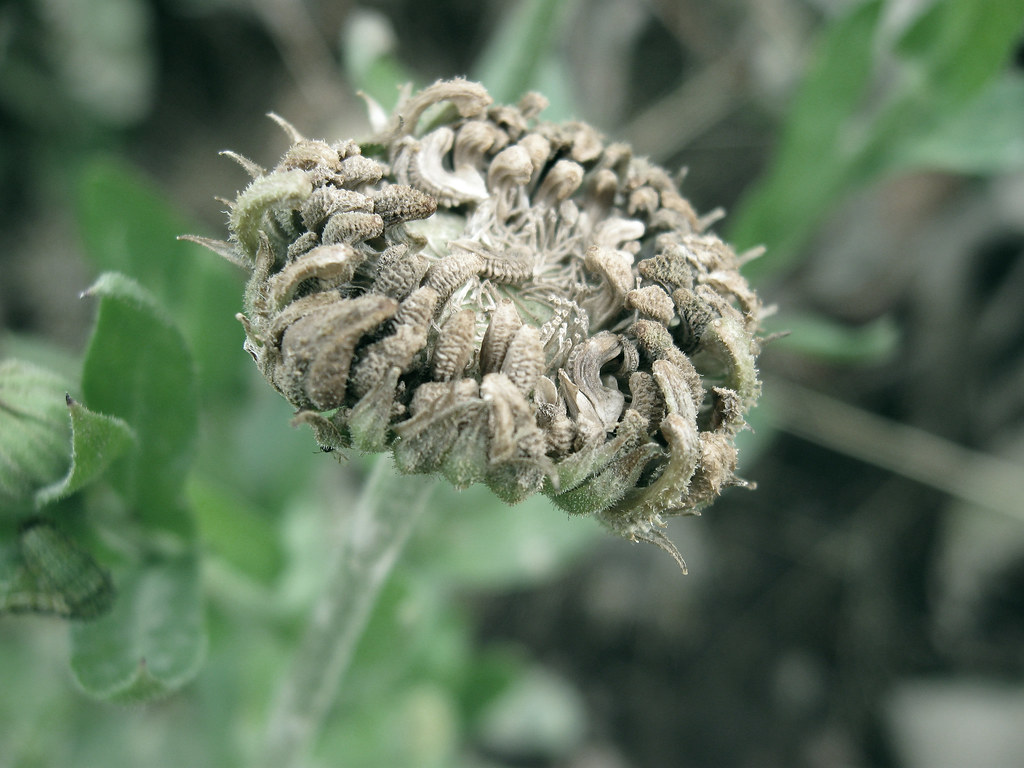
For instance, if you have a picture of a dead flower, it will create a generally gloomy feeling. To really emphasize that mood, you could partially desaturate the image. Be careful though—if you completely desaturate the image, you get black & white, which doesn't necessarily make a picture seem more melancholy.

click to enlarge, or see it on Flickr
As you can see, the colors are still there (especially in the green leaves), just very muted.
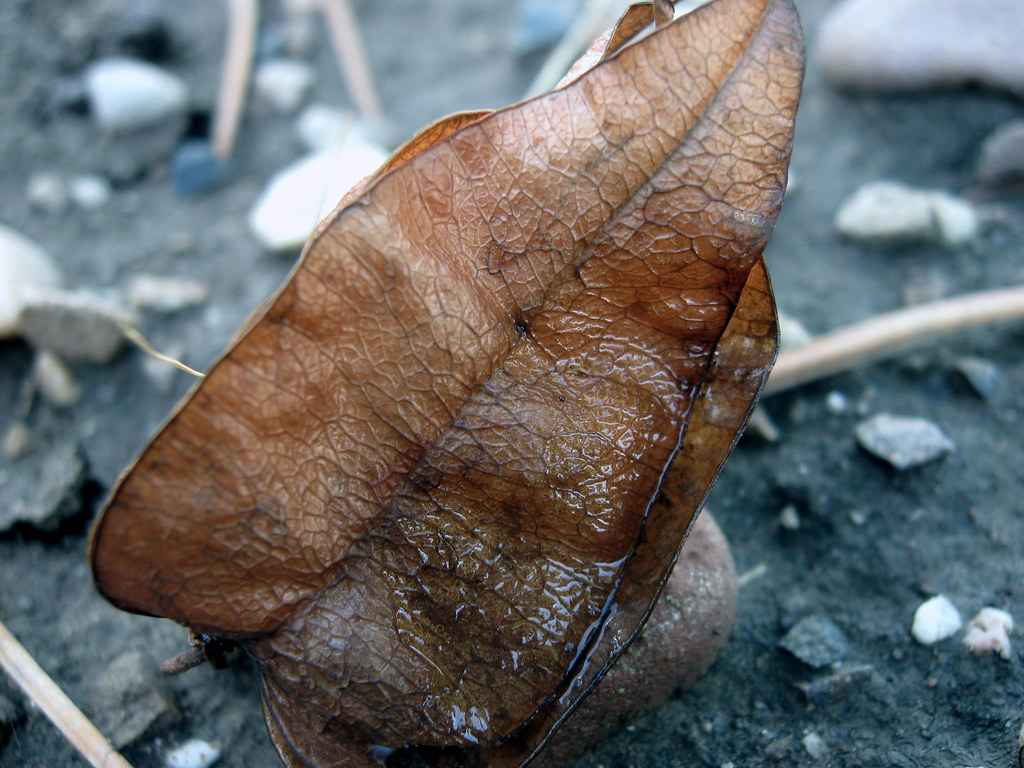
A slightly more advanced idea is to change the lighting. This is primarily done while composing the shot, but you still have at least a little influence over the lighting in Photoshop. For example, this picture of a leaf was taken on an overcast day.

click to enlarge, or see it on Flickr
While I was optimizing it on the computer, I noticed that the wet patch on the leaf, combined with the damp ground, made the leaf look like a survivor of a recent rainstorm. To accentuate this effect, I added quite a bit of blue tinge in the Levels adjustment, and voila—it looks like the photo was taken on a rainy day. Had I noticed this mood possibility while I was taking the photograph, I might have tried a white-balance adjustment to give me a more natural-looking blue cast.
Just as images can be partially desaturated to make them gloomier, saturation can be added to make them seem more vibrant and happy. Similarly, light and white-balance adjustments can cool down an image or warm it up. Don't go overboard though—the image should still appear pretty natural once editing is over, rather than looking like it just made a daring escape from the Piknik factory. I usually take one image with a correct white balance in case the artistic one doesn't turn out, and then several with various other white balances (flourescent, daylight, etc.).
Tinker around with your composition, white-balance, levels, lighting, saturation, curves, and contrast to help set the mood of your photos. As you get better, your photo quality will increase, and your images will start to be more eye-catching.